A game and level I made in Unreal 4. It’s about spawning cubes and controlling their physics state. From static to dynamic with a press of a button. It’s based on the Unreal 4 Third Person Template. Scripting, blockout and design done by me.
Controls:
WASD to move
SPACE to jump
Pressing LMB spawns a cube
Holding LMB spawns a cube and moves it forward as long as you hold the button.
RMB toggles physics on all cubes you have spawned.
Tutorialization Design
The level design is split up into “Rooms”. Each room is a learning progression from the previous. The tutorialization is based on clear challanges and some player experimentation. To complete each challange the player will need to learn a specific part of a mechanic.


Player learns to move, jump, spawn cubes and the Red buttons + Door level mechanic.

Player repeats learnings from Room 1. But also has to learn to move the spawned cubes and activate the cube physics to get past the challanges.

Need to use all the learnings from room 1 and 2 with added complexity to the challanges. Also introduces a new level element.

Gives the player a different challenge that require them to use learnings from room 2 in a different scenario.

Gives the player a new challange that requiers knowledge from previous rooms, but with some added complexity and risk.

Players needs to use all the skills from the previous rooms to complete the final mastery challange.
Room 1
In the first starting position the door is in direct vision. Players understand right away where they should go. The first room have no risk of dying to encourage exploration of mechanics.
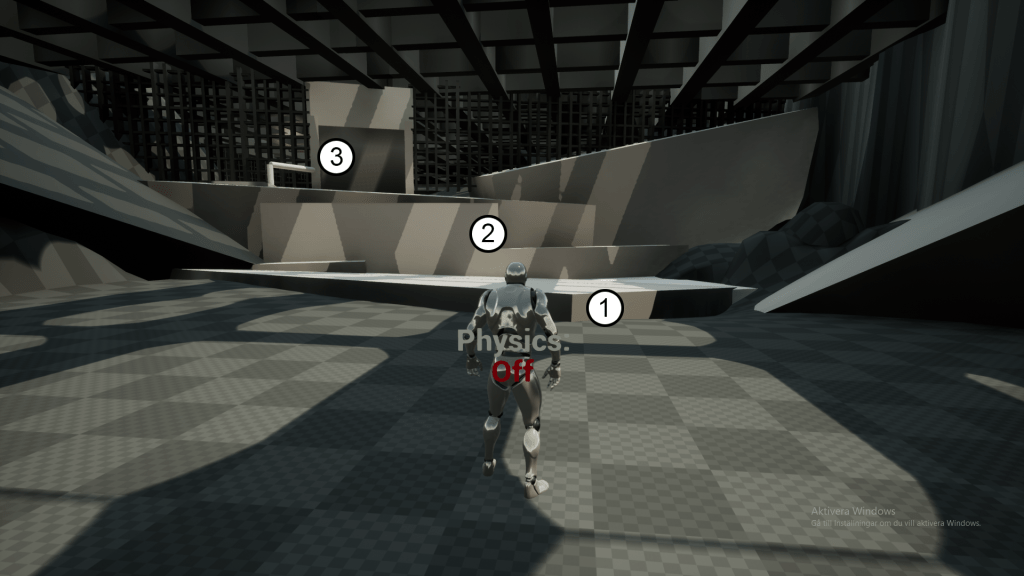
1 – Players need to learn to jump and move to get on top of the small platform.
2 – Players need to learn to spawn cubes to get to the door. They also have the opportunity to explore the mechanic at this stage.
3 – Players need to open the door, learning that they can interact with red buttons to make doors open.
Room 2
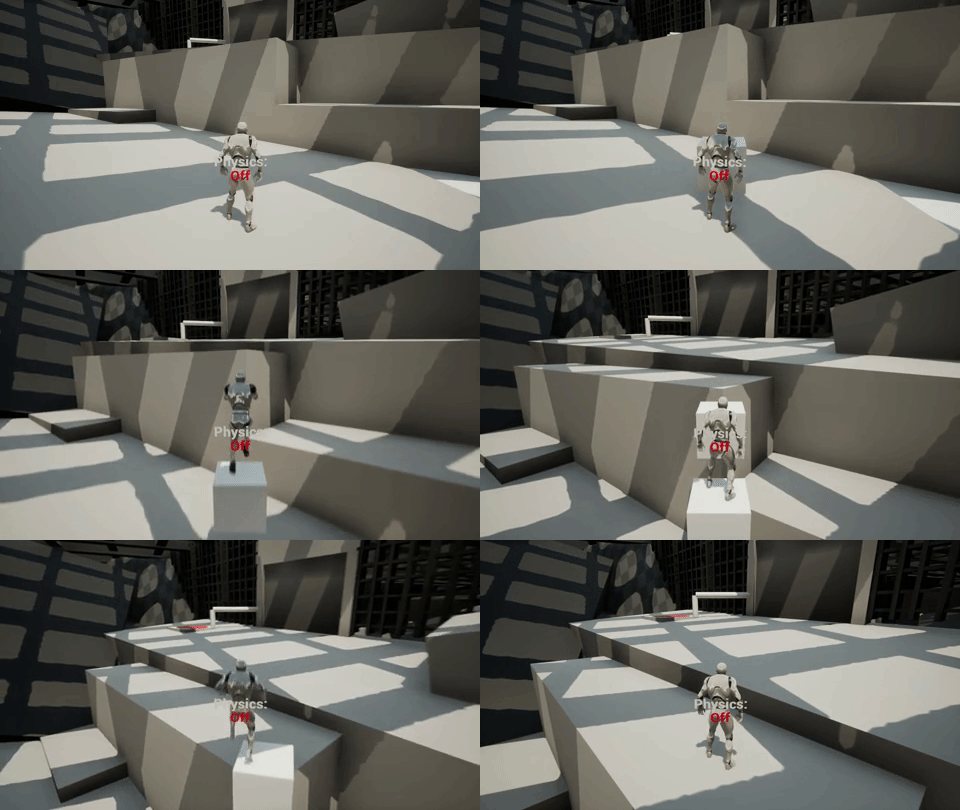
When entering room 2 the player immideatly sees and understands the red button because of the previous room.
Players will learn how to move the cube to press the red button. They also understand that cubes can be used to press buttons.

Players then learns how to use the physics component by having to stand on a cube and activate Physics.
Room 3
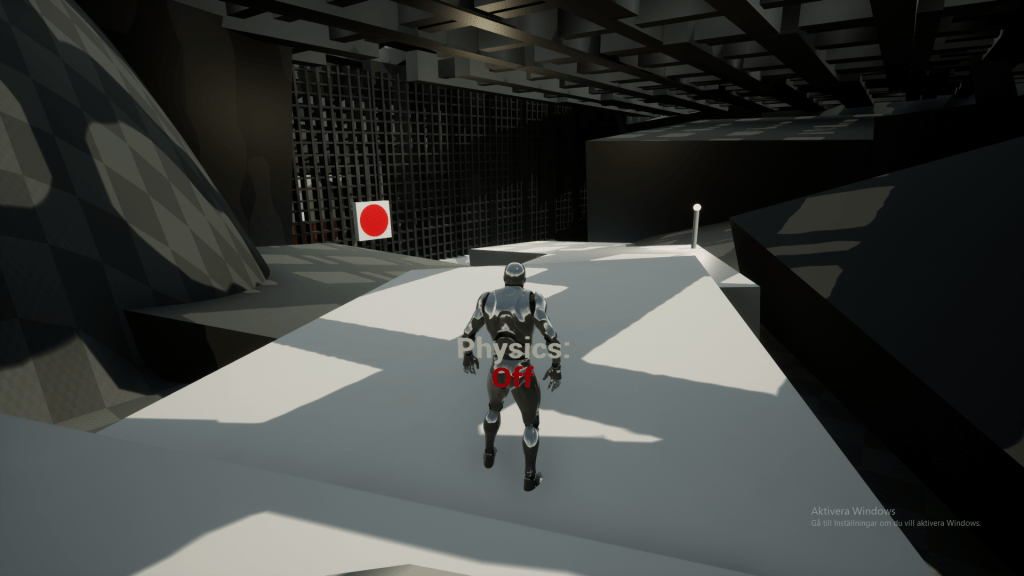
Room 3 is a culmination of the previous learnings but with an extra button and a new level element that adds some extra complexity.
They need to use the learnings from rooms 1 and 2 to complete this challange: Spawning and moving cubes and also activating physics to push a button with the cube.
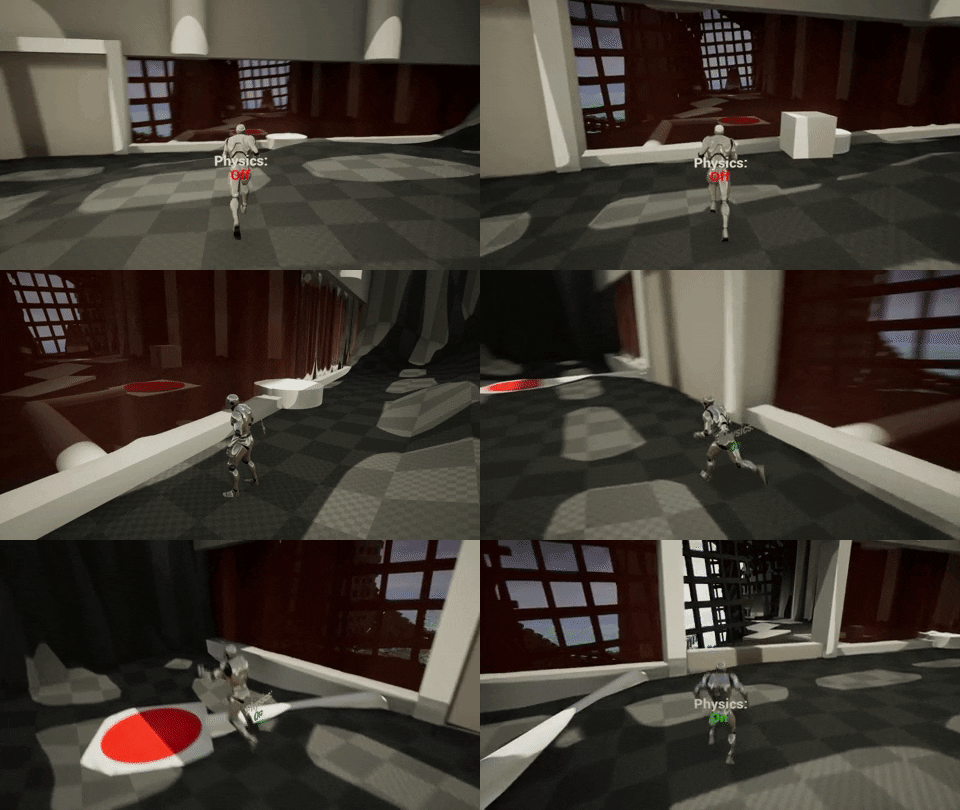
This is the point where a player should have a basic understanding of the mechanic and they can start experimenting with it.
Room 4
Room 4 is used as a skill check, repetition and exploration with a new level challenge. This allows the player to find their own way to solve a new puzzle and use the skills they have learnt so far. Making them feel smart and rewarded for their knowledge of the mechanic.
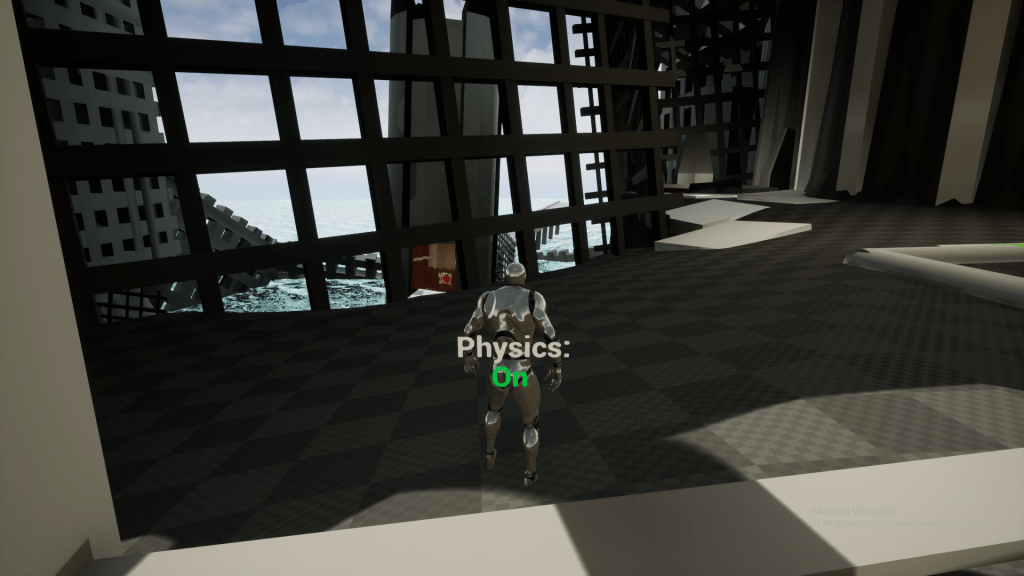
- Player sees the tower in the background and understand that is the way forward.
- Player needs to explore the area to find a way there.
- Player finds a way there but an obstacle is in the way.
- Player use the knowledge they learnt earlier to complete the challenge.
Room 5
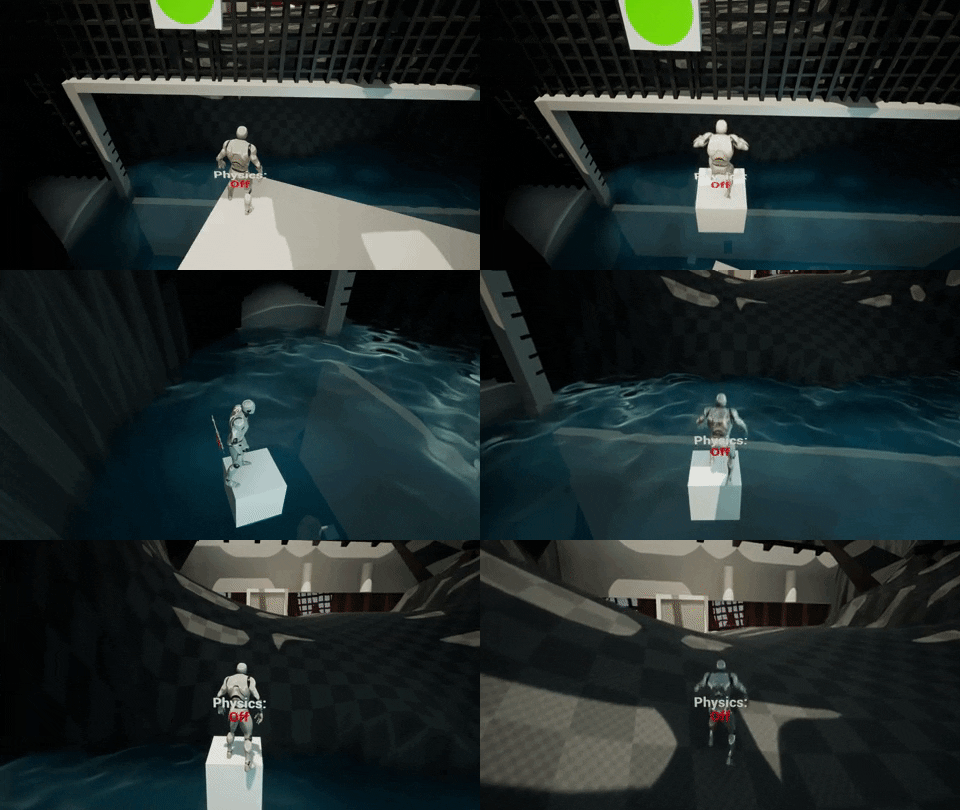
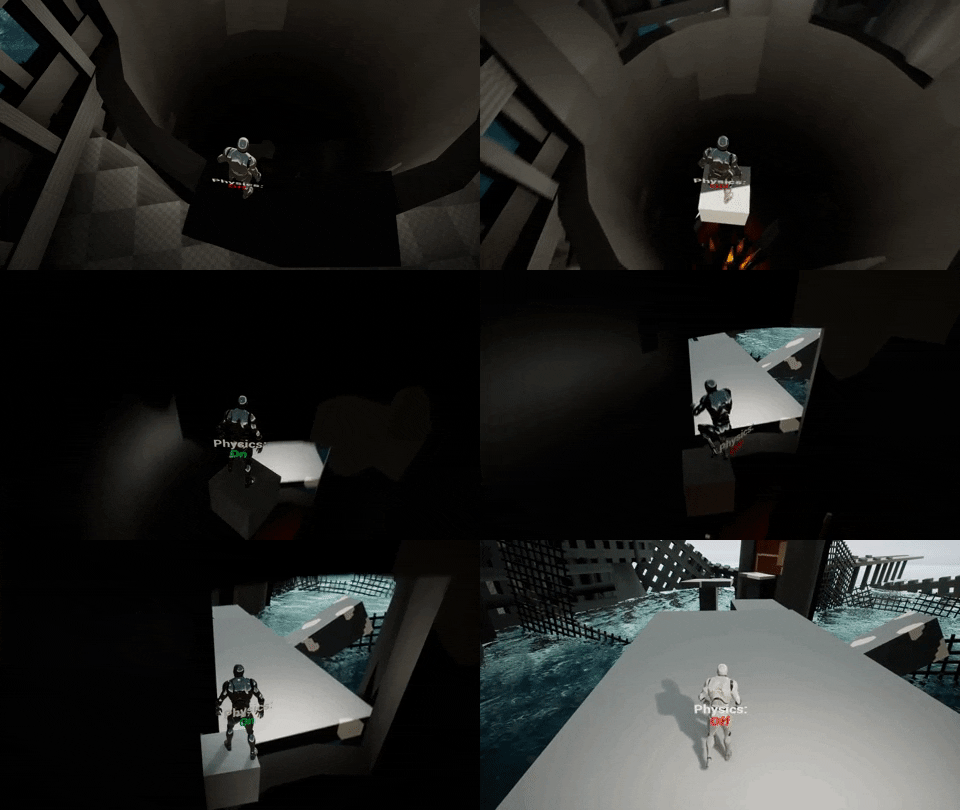
Room 5 introduces a new movement based challange with some added risk and complexity. Player needs to use the skills they have gained from previous rooms to get across the vast open space.
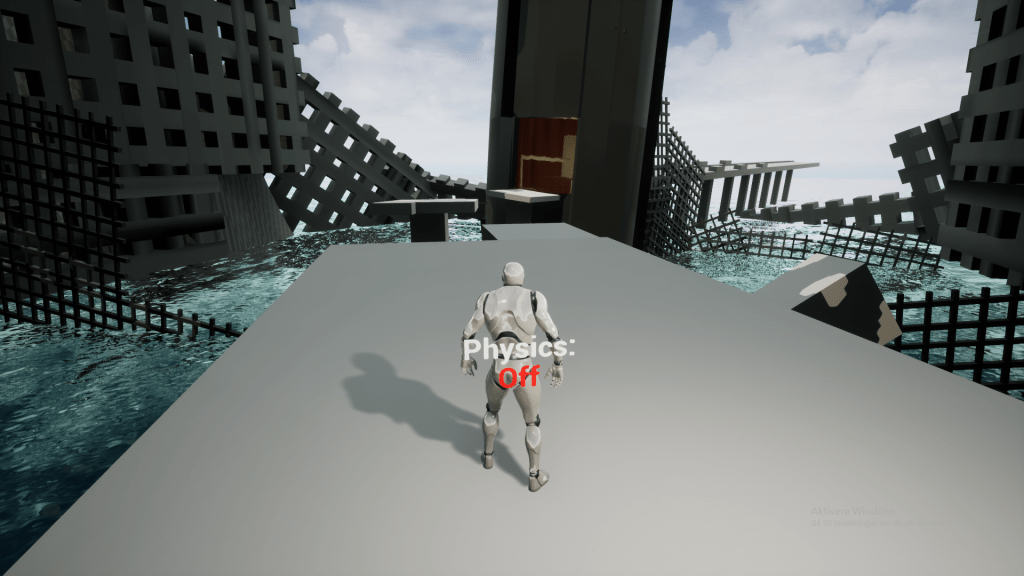
This challenge opens up to player agency making them solve it in the way they like the most.
Potential Solutions:
- Spawn many cubes with physics off and jump across.
- Spawn and move one cube and jump up on it while its moving to ride the cube across.
- They can choose to land on the plaform in the middle for a break or go directly to the tower.
Room 6
Room 6 is the final room where the player need to use all the skills he/she learnt from the other rooms in a challange with high risk and complexity.
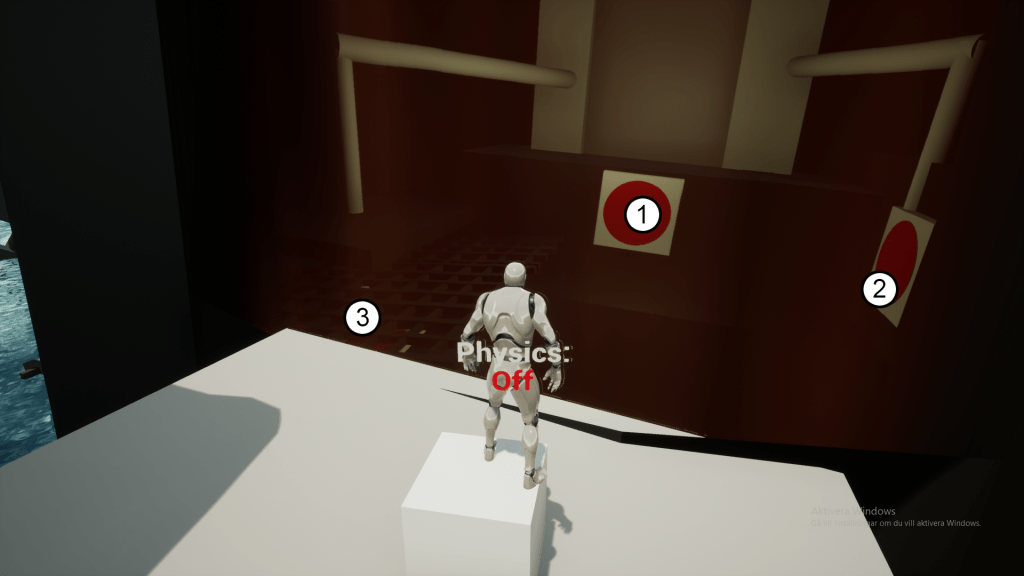
Player needs to press button 1 to remove the red mist that blocks the entrance. Then use cubes to position and press button 2 and 3 to open the door.
Skill checks of the last puzzle:
Moving
Jumping
Spawning Cubes
Moving Cubes
Pushing Buttons with Cubes
Toggle Physics on Cubes
Jumping/Standing on cubes while toggling physics
Level Elements – Doors, buttons and red mist.
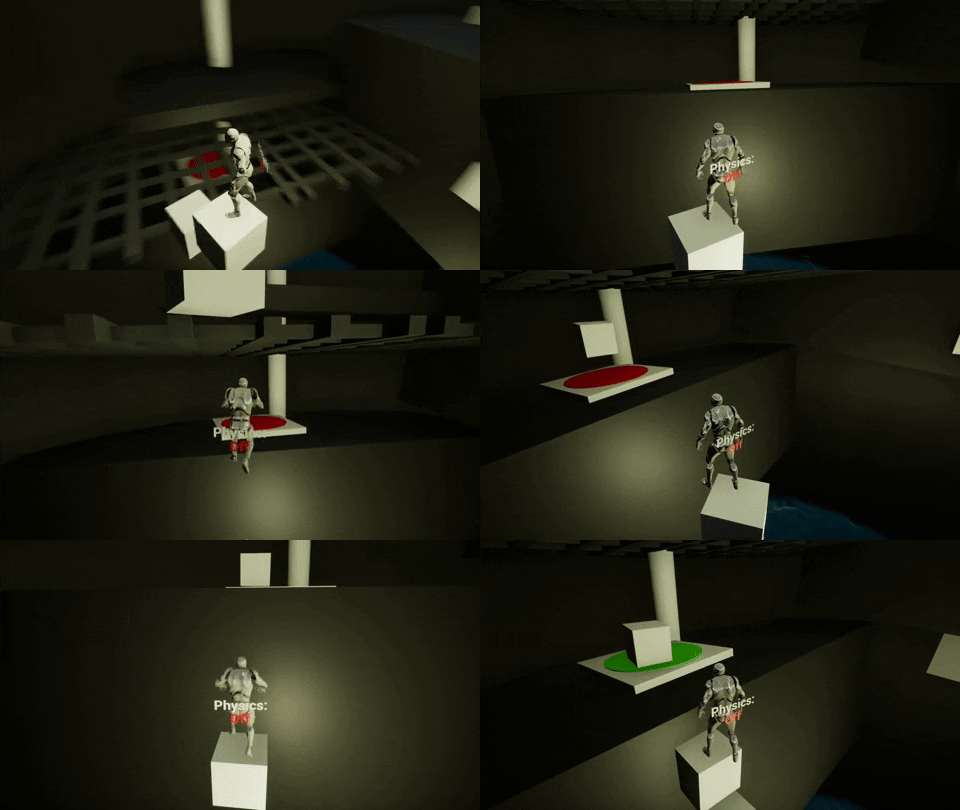
At this point the player should be very familiar with the mechanics and we can continue adding or removing elements to increase the difficulty of puzzles and create new scenarios.
Level Composition
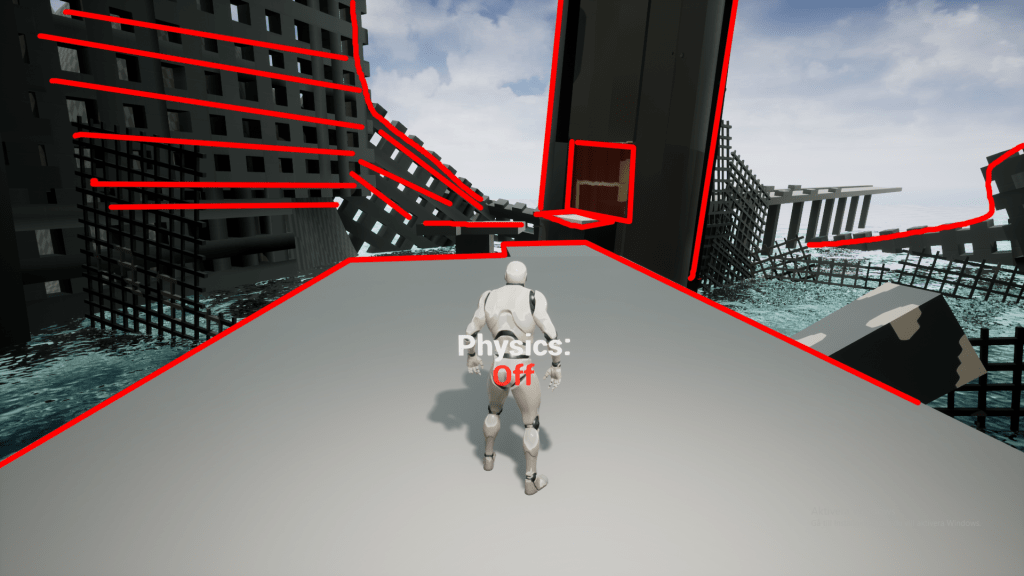
To help guide the player through the level I worked with compositions and layouts to guide the player seamlesly through the level. Using negative space, art composition, framing and color theory I tried creating interesting and different areas that guide the player forward.
Room 1
I used a 3 quarters composition for the door to make the first room a bit dynamic. I had the path forward reassemble a stair to lead the player as well, while also having objects that seemingly pointed towards the door. Also making use of a different color to differentiate the important things.

Room 2
Here I used a path in different color to guide the player forward. As well as using a clear red for the button objective to draw the players eye. I also had some extra objects pointing towards the left, creating a sense of direction curving to the left in the whole room.
Room 3
Here I used a classic framing composition, meaning the door is framed by the cave walls. I also used patterns of light moving forward towards the door to reinforce the direction.

Room 4
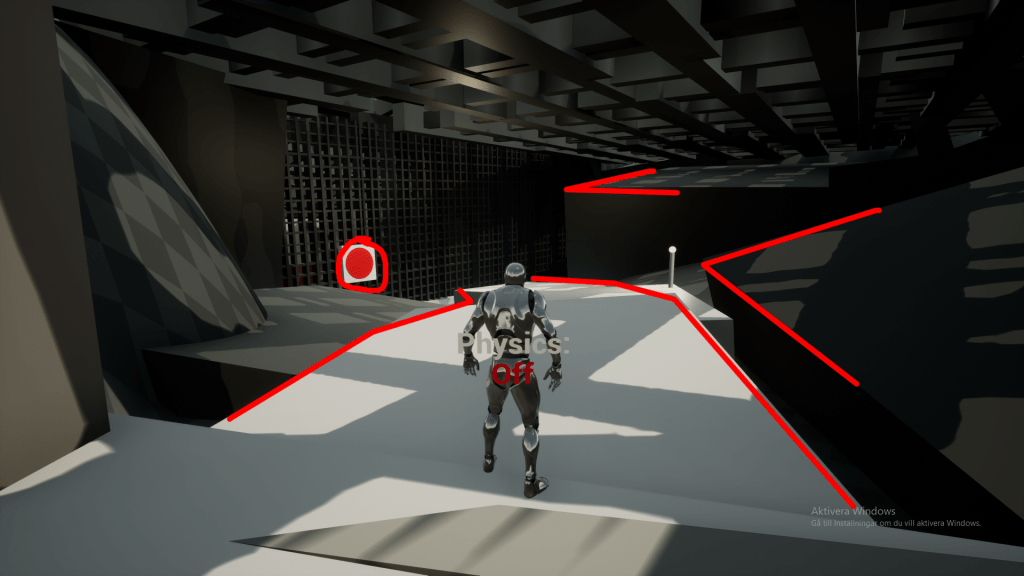
In this room I used a path as main composition again. I wanted to focus a bit on exploration. So I forshadow a big tower and open area in the background, so the player wants to go there. But I don’t show a clear way there.
I use a different color on the path to guide the players eye towards the right, where the way forward is. Using the direction and rotation of objects I also reinforce the composition towards the right side.
Room 5
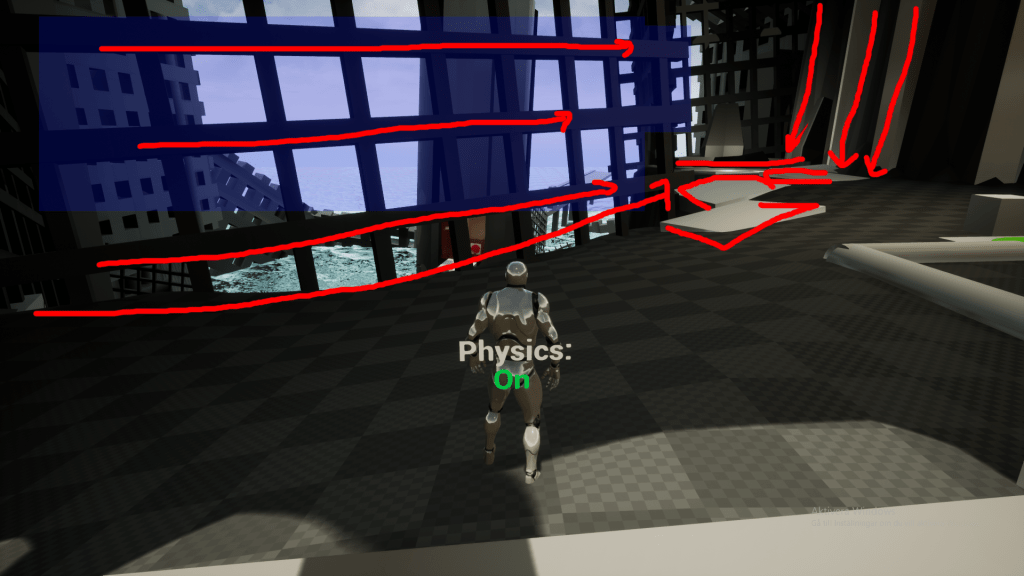
Here I again use a type of framing, but with negative space. I intentionally dont have objects near the tower to create contrast between the tower and the background, which draws the eye. I also have some sense of direction in the other objects in the scene, pointing towards the tower/behind the tower. The path towards the tower I also made white, to diffiretiate it from the other static objects.
 Robert Graff